Your friend just bought a game you have been wanting to play. You have a game they want too. What if you could both play each other’s games without buying them twice? That is exactly what Xbox game sharing allows you to do, and once you learn how to Game Share Xbox, you can save money while enjoying a bigger library of games together.
Most people do not know how far this feature actually goes. It is not just sharing one game. You share your entire Xbox Game Pass library, all your digital games, and even DLC. One feature, double the value.
How to Game Share Xbox the Right Way
Before you start, understand one important rule. Xbox allows each account to set one console as its “Home Xbox.” This is the key to everything. Whoever sets their Home Xbox on your console gives you full access to all their games and subscriptions.
Here is how to game share Xbox step by step.
Step 1: Both people must fully trust each other. You will share login details or use the Home Xbox method. Only do this with a close friend or family member.
Step 2: Sign in to your Xbox account on your friend’s console. Use your Microsoft account email and password to sign in.
Step 3: Go to Settings. From the home screen, open the Settings menu. Then go to “General” and select “Personalization.”
Step 4: Select “My home Xbox.” This sets your friend’s console as your Home Xbox. Once done, anyone using that console can access your full game library.
Step 5: Sign back out of your account. After setting up the Home Xbox, sign out. Your friend does not need to stay logged into your account.
Step 6: You both now share libraries. Your friend plays your games on their console. You play their games on your console when you are logged in.
What You Can Actually Share
This is where most guides stop short. Let us go deeper.
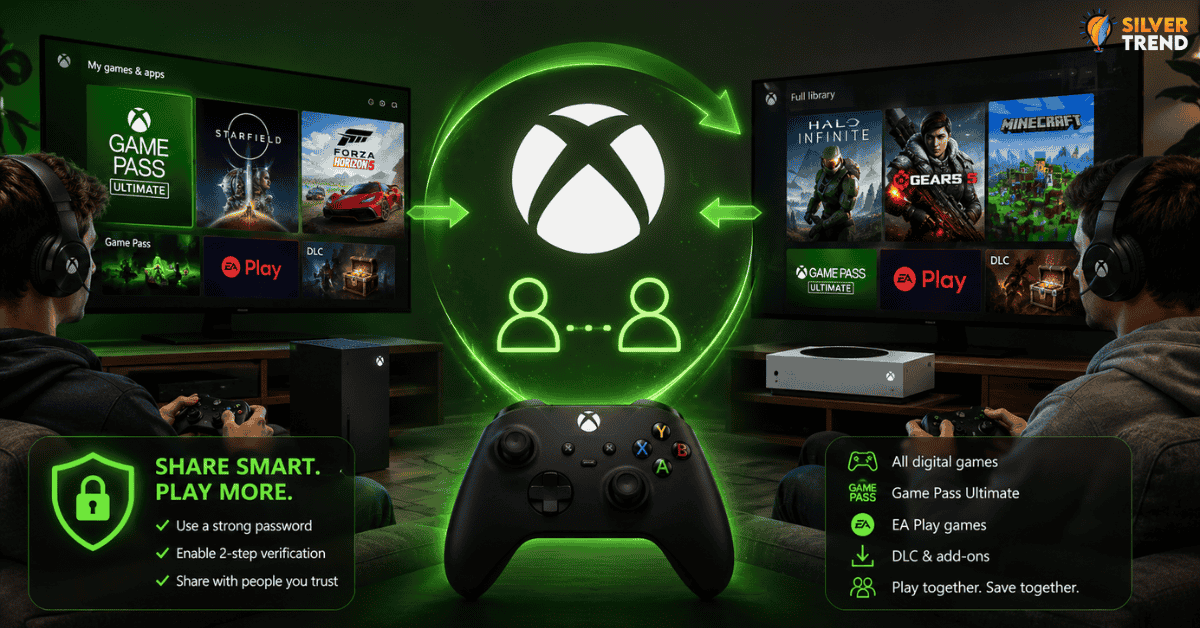
When you learn how to game share Xbox properly, here is everything that gets shared:
- All digital games you own
- Xbox Game Pass Ultimate games
- EA Play games included in Game Pass
- In-game DLC and add-ons tied to your account
- Xbox Live Gold benefits (on older plans)
One thing that does not fully transfer is some subscription perks tied to specific account features. For example, certain exclusive member discounts stay with the account holder. But for actual gaming, the access is almost complete.
This makes how to game share Xbox one of the most valuable features on the platform. Two players, one subscription, full access.

A Common Mistake People Make
Many users try to set each other as Home Xbox at the same time. This seems smart, but it causes problems fast. Microsoft tracks unusual activity. If both consoles are swapping Home Xbox settings too often, the system may flag it.
The smarter approach is to set it once and leave it. Do not keep switching back and forth. Pick one setup and stick with it for the long term.
Also, avoid sharing with strangers online. Some people offer game sharing in exchange for money or free access. This puts your account at serious risk. Your Microsoft account holds payment details, subscriptions, and saved game data. Losing it is not worth the shortcut.
How to Game Share Xbox on Series X or S vs. Older Consoles
The process works the same on Xbox One, Xbox Series X, and Xbox Series S. The menus look slightly different, but the logic is identical.
On newer consoles, the Settings menu is faster to navigate. The Home Xbox option is in the same place. The only difference is how quickly the games appear. On Series X and S, game libraries load faster because of the SSD.
If you share Game Pass through this method, both players get access to hundreds of games. That alone makes learning how to game share Xbox worth every minute.
Keeping Your Account Safe While Sharing
Here are a few practical habits to protect yourself:
- Use a strong, unique password for your Microsoft account
- Turn on two-step verification before sharing
- Never share with someone you have only met online
- Check your account activity every few weeks
- Remove your account from any console you no longer use
Game sharing is built into Xbox by design. Microsoft supports it. But safety still depends on who you trust with your credentials.
When Game Sharing Feels Like a Superpower
Imagine this: your friend buys Starfield. You buy Forza. You both set up the Home Xbox correctly. Now neither of you needs to buy the other game. You both save money, and both play more.
Over the course of a year, this can save each person hundreds of dollars. Families with two Xbox consoles benefit even more. Parents and kids can share the same Game Pass subscription across two systems.
That is the real reason why “how to game share Xbox” keeps trending every year. It is not a trick or a loophole. It is an official feature designed to save you money and make gaming more accessible.
Set it up once. Enjoy it for years. Just make sure you share with someone you trust completely.